Guide on how to report Bitget crypto taxes in United Kingdom?


Introduction
Do you feel overwhelmed reporting your Bitget crypto activity to HMRC? Many UK crypto holders face this uncertainty each tax year. You are in the right place to find clear guidance.
Tax offices worldwide are getting more transaction data from crypto platforms. This global effort helps ensure proper tax compliance for all assets.
Waltio simplifies this process for you. We calculate your crypto tax. We help you complete the forms. All actions follow United Kingdom tax rules.
This guide will show you how to declare your Bitget transactions in the UK.
What is Bitget?
Bitget is a cryptocurrency exchange. Bitget operates in the United Kingdom via Bitget UAB. Users should check its official registration status. This is as a Virtual Asset Service Provider (VASP) with the Financial Conduct Authority (FCA).
A VASP is a business that offers services with virtual assets. The FCA is the UK’s financial regulator.
Bitget’s registration status can affect data sharing with HMRC. However, it does not change your personal tax duties. You must report your crypto activity in the United Kingdom. This applies whether Bitget is registered or not.
How does the HMRC know I have crypto on Bitget?
International efforts against tax evasion are significant.
DAC8 rules are now adopted across the EU. This has boosted global cooperation against tax evasion. As of January 1, 2026, Bitget and other regulated platforms must report your full transaction history. They send this data directly to tax administrations. This process is automated.
Learn more about DAC8 and how it affects you
How are Bitget transactions taxable in United Kingdom?
United Kingdom tax rules apply to crypto assets. HMRC views crypto as “property” for tax purposes. This means it is subject to Capital Gains Tax (CGT).
CGT is a tax on the profit you make when you sell an asset.
A taxable event happens when you:
- Sell crypto for regular money (e.g., GBP).
- Exchange crypto for goods or services.
- Trade one crypto for another. This is a taxable event for individuals.
Profits from these events are “capital gains.” You pay Capital Gains Tax (CGT) on these gains. For the tax year 2025/2026, you can have tax-free gains up to £3,000. This is your annual exempt amount.
CGT rates are 10% for basic rate taxpayers. They are 20% for higher or additional rate taxpayers. These rates apply to gains above the exempt amount.
Other crypto income, like staking rewards, is subject to Income Tax. These rates increase with your income. They range from 20% to 45%.
HMRC might consider you a “professional trader.” This happens if your crypto activity is large and organised. Your profits could then be subject to Income Tax and National Insurance. This differs from Capital Gains Tax. Always check the latest HMRC guidance to confirm your status.
Comprehensive guide to crypto taxes in United Kingdom
How to calculate gains and losses of Bitget?
For Capital Gains Tax, United Kingdom rules match disposals with acquisitions. A disposal is when you sell or trade crypto. An acquisition is when you buy crypto.
You must use ‘Section 104 pooling’ for interchangeable crypto assets. This creates an average cost for your holdings. For example, one Bitcoin is interchangeable with another Bitcoin.
The ‘30-day rule’ also applies. This is known as the Bed and Breakfasting rule. This rule matches sales with purchases made within 30 days of selling.
Consider this example. You bought 1 BTC for £5,000 in 2018. You then bought another 1 BTC for £25,000 in 2024. In 2025, you sold 1 BTC.
Under Section 104 pooling, your cost for that 1 BTC is the average cost of all BTC you held. If you held only these 2 BTC, your average cost would be (£5,000 + £25,000) / 2 = £15,000. Your gain is calculated using this average cost. If you bought more BTC within 30 days of the sale, the 30-day rule would apply first.
How to declare staking & earn products from Bitget?
HMRC classifies staking rewards as miscellaneous income. This means they are subject to Income Tax.
You must value these rewards in GBP. Use their fair market value at the exact moment you receive them. This value is your income for tax purposes.
The tax treatment of airdrops can be complex. An airdrop is when you receive free crypto. If they are considered income, their acquisition cost is £0 for income tax purposes when received. If you perform services to get them, they might be taxed as income. Check the latest guidance from HMRC.
Remember this process: Receiving a reward is your first taxable event. This triggers Income Tax. Later selling that reward for regular money is a second taxable event. Exchanging it for another crypto is also a second taxable event. These trigger Capital Gains Tax. Consult HMRC’s Cryptoasset Manual for specific guidance.
How do I declare my gains and losses for Bitget?
You must report your crypto gains and losses. Use your Self Assessment tax return. Individuals typically use the SA100 form. They also use the SA108 Capital Gains Summary supplementary page.
On the SA108, declare your total gains and losses. This covers all disposals of crypto assets. You need to show your total sales proceeds. You also need to list your total allowable costs. Finally, provide your net gain or loss.
Remember the annual exempt amount. For 2025/2026, it is £3,000. Check current guidance for the exact figure. Calculate your taxable gains after accounting for this amount.
How to Import Bitget operations into Waltio?
To make your tax calculations easier, connect your Bitget account to Waltio. You can do this with API keys. You can also export your transaction history as a CSV file.
📝 Description
This article explains how to connect your Bitget account to Waltio using an API key.
👉 It is useful if you want to automatically retrieve and synchronize your Bitget transactions with Waltio.
⚠️ Warnings
- Only operations from the last two years from the API creation date can be retrieved.
- To import older operations, you must use a Waltio format file.
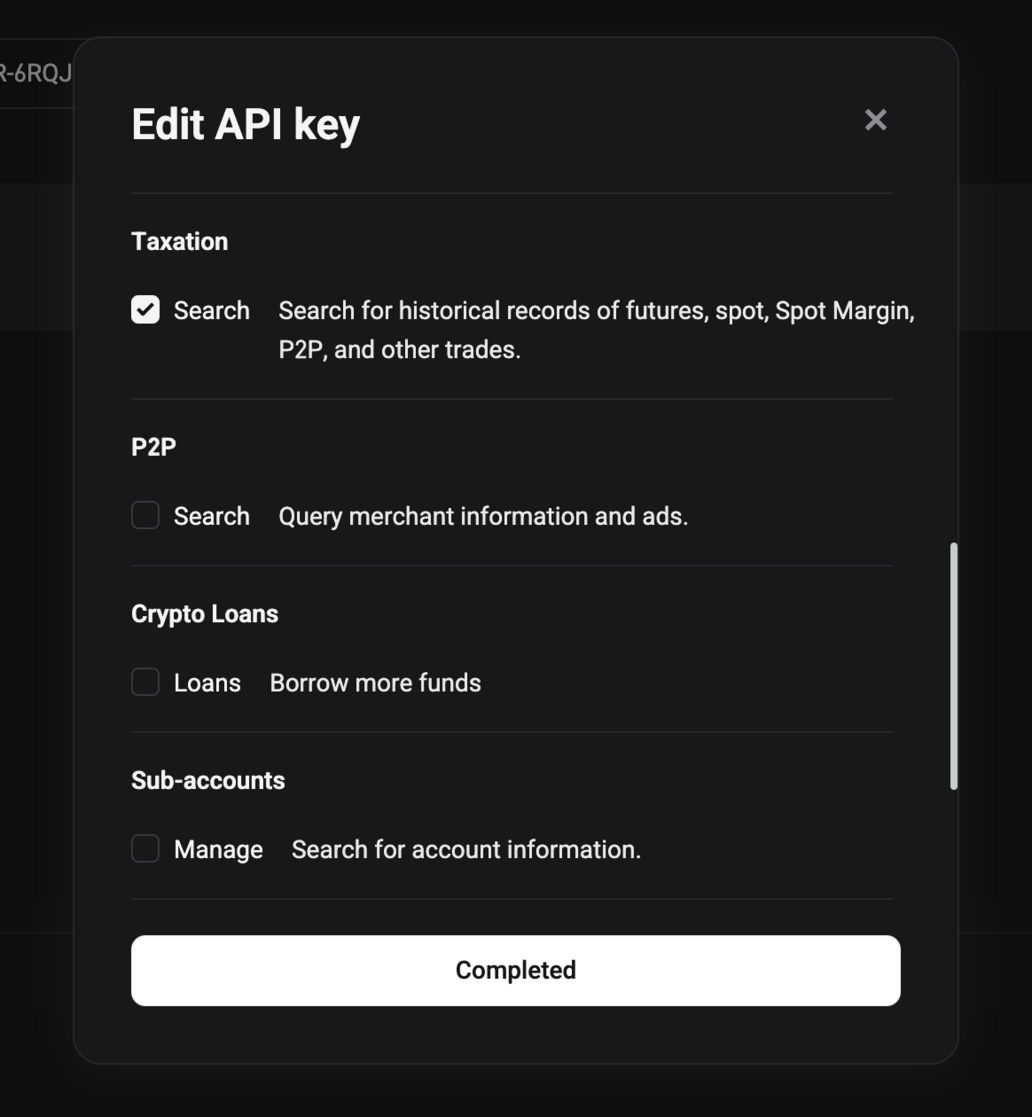
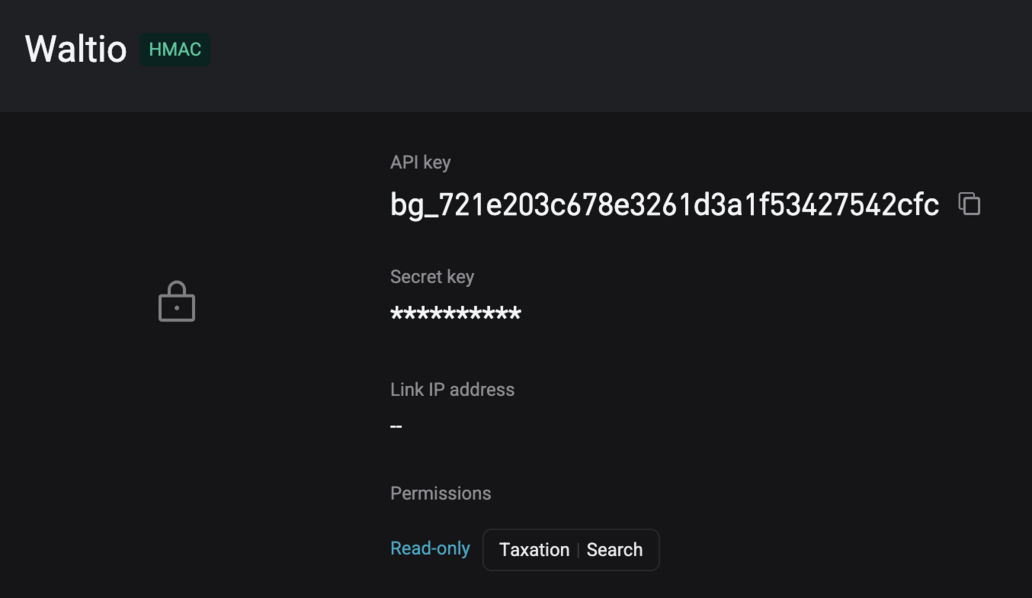
- Make sure you grant read-only permissions when creating your API key.
💡 Recommendations
- Use a dedicated API key for Waltio to enhance security.
- Store your API and secret keys in a safe place, as the secret key will only be shown once.
📂 How to access your data
- Log in to your Bitget account.
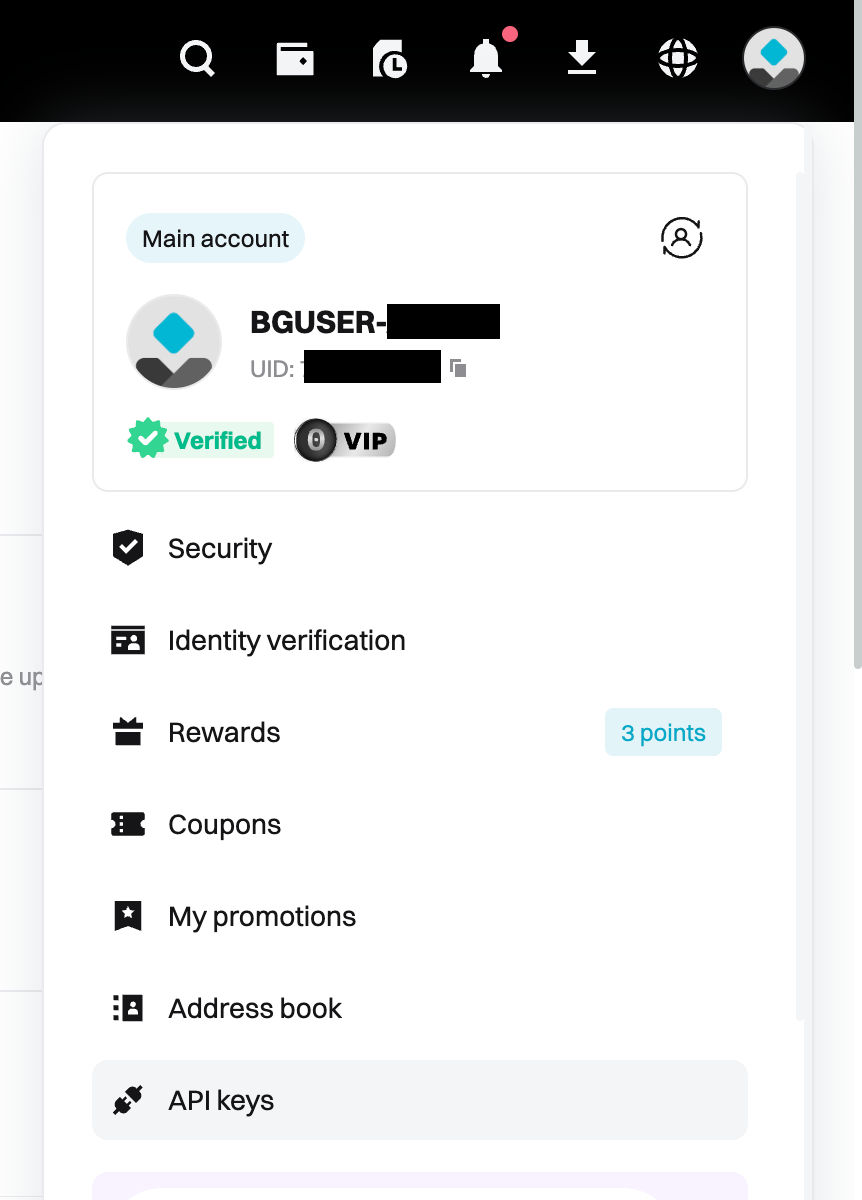
- Click on your profile picture in the top right corner, then click on API keys.

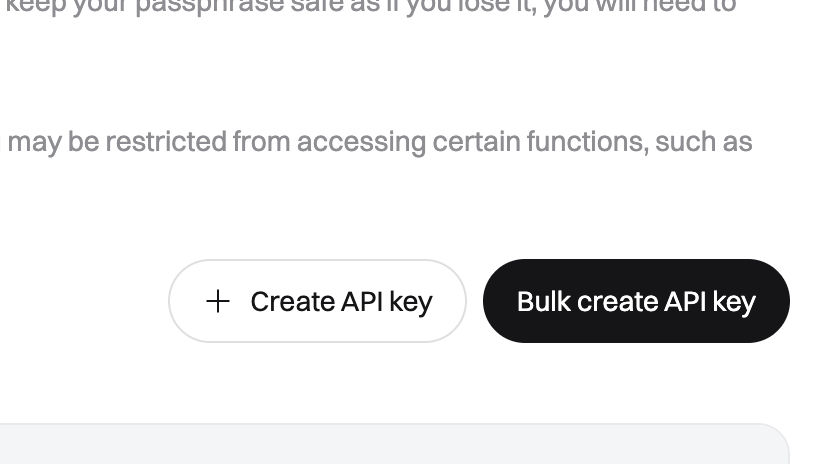
- Click on Create API key.
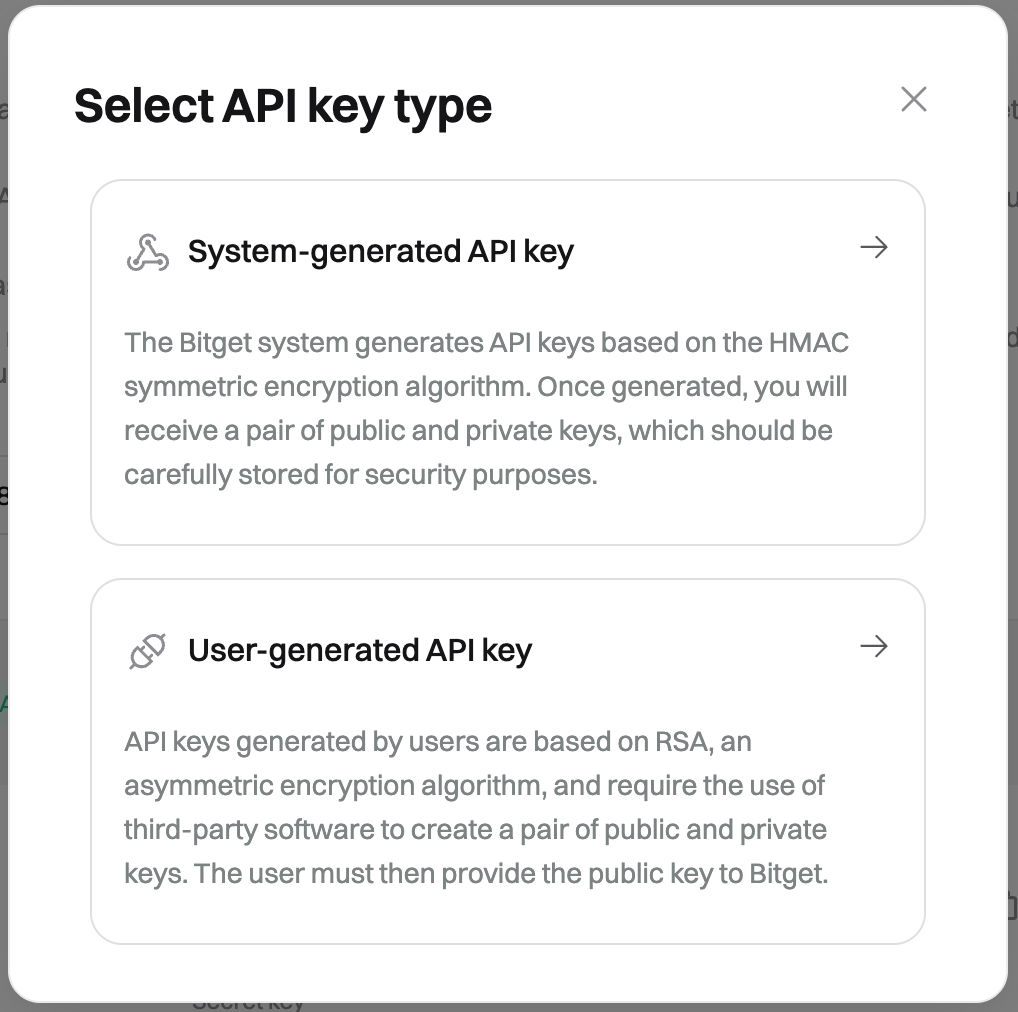
- Select System-generated API key.
- Fill in the required information (Name = API key name, Passphrase = API password).
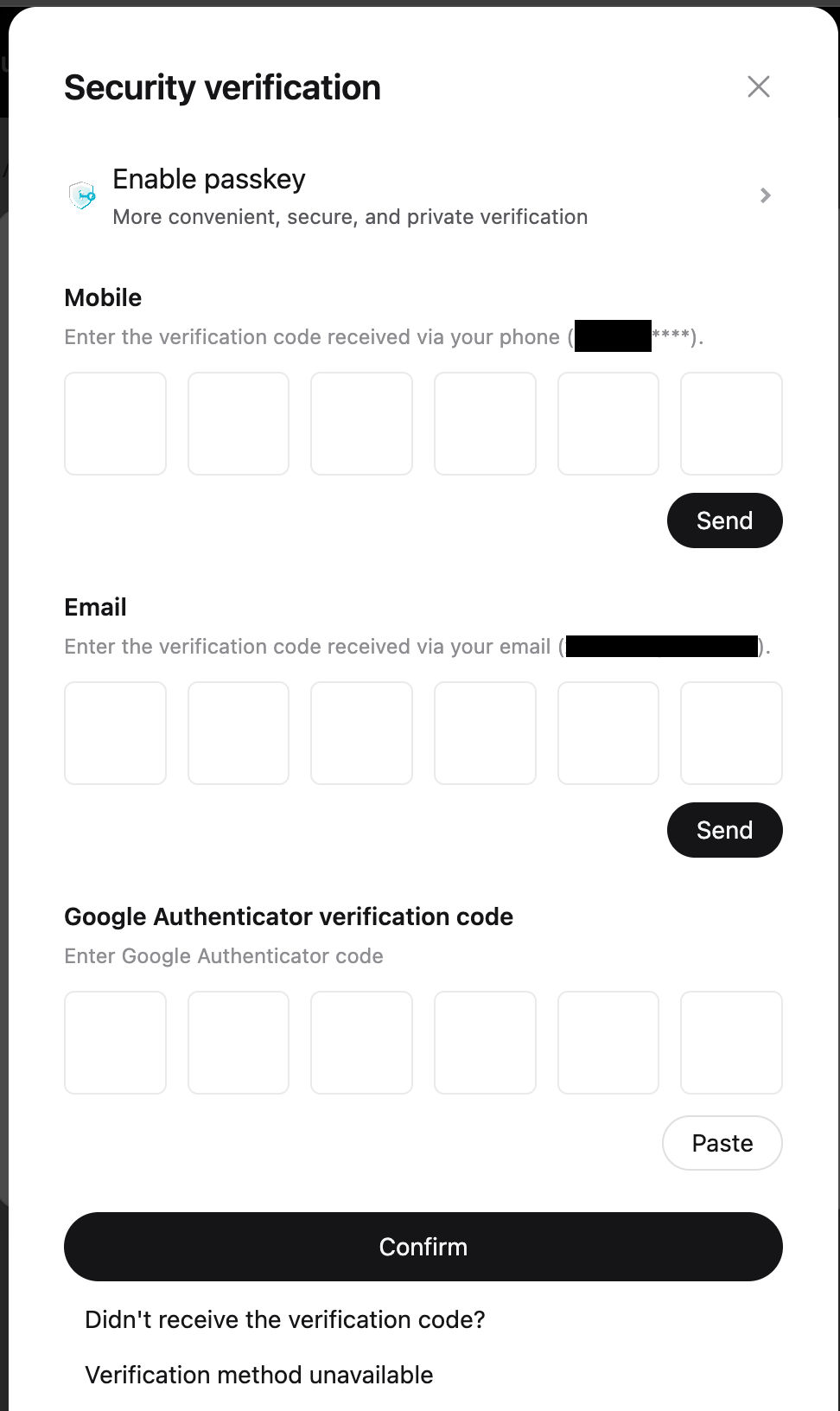
🚨 Important: Select Read-only and Name permissions. - Enter your security details and confirm.
- Copy your API key and secret key.
📤 How to export your data
- Data is automatically retrieved once your API is connected to Waltio.
- To access operations older than 2 years, you must import a file.
➕ How to add your data to Waltio
- Go to the Connect my API page on Waltio.
- Enter your API key and secret key.
Simplify your tax returns with Waltio
Waltio brings together all your exchanges and wallets. This makes your tax reporting simpler. Connect your accounts using API or file upload. Track your crypto portfolio in real-time. Generate United Kingdom compliant tax reports with one click.
Create your free account today. No credit card or KYC is needed.